I take products apart to see why they feel effortless.
Then I design dashboards, AI features, and online stores that feel that way too. Off-screen, you'll find me behind a camera.
Four things I take apart.
Selected work.

I'm designing a smart home app right now. The case study is on its way.

Behind the screens.
I'm Shlomo. Before design, I ran an office: orders, inventory, all the details nobody sees. I also spent two years as a stills photographer. Photography gave me an eye for detail; the office gave me a sense of order. I bring both to every screen I design.
Let's take something
apart together.

Snap. Know. Eat.
Transforming food photography
into real-time nutrition data.

Snap. Know. Eat.
Transforming food photography into real-time nutrition data.

SnapDish

Good morning, Tamir!
Ready for your first meal?
Remaining: 760 kcal

Today's Log
SEE ALL

 Journal
 Insights
 History
 Profile
Eating out on a calorie goal shouldn't feel like a gamble.

“I just want to enjoy dinner without the stress of every choice.”
SnapDish gives you a clear answer before you order.
Instead of searching online, snap a photo of any meal and get an instant answer — fits your daily goal or not — in under 10 seconds.
Color Tokens
A warm, appetite-friendly palette that keeps food photography front and center.
Typography
Plus Jakarta Sans — bold and impactful for display, structured for headlines, compassionate and clear for body copy.
Before your first bite, we learn who you are.
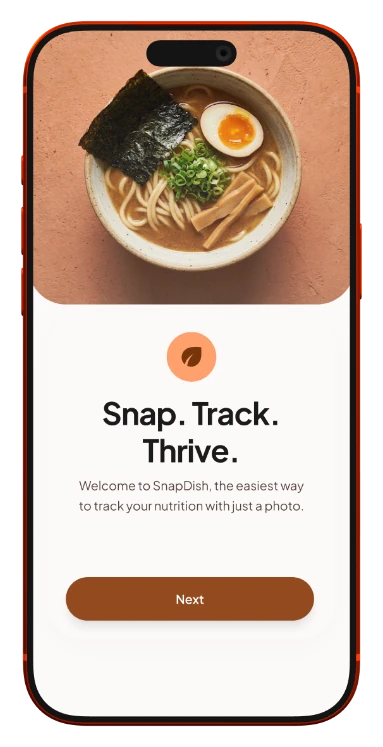
Snap. Track. Thrive.
The welcome screen sets the app's promise in one line before the user commits to anything.
Smart & Seamless Tracking
Sets the expectation: nutrient analysis from a single photo, no manual search.


Smart. Simple. Healthy.
Final onboarding beat before the user reaches the camera for the first time.

Tap. Snap. Done.
From photo to nutrition breakdown, instantly.

One tap away.


Not sure? It asks.
In dim light, some dishes look alike. Instead of guessing, SnapDish shows its closest matches and the portion, so one wrong scan doesn't throw off the whole day.
- Low confidence is said out loud, on the photo, not hidden in a percentage.
- Every match shows its calories, so picking one already answers the question.

Know before
you eat.


 Smart Insights
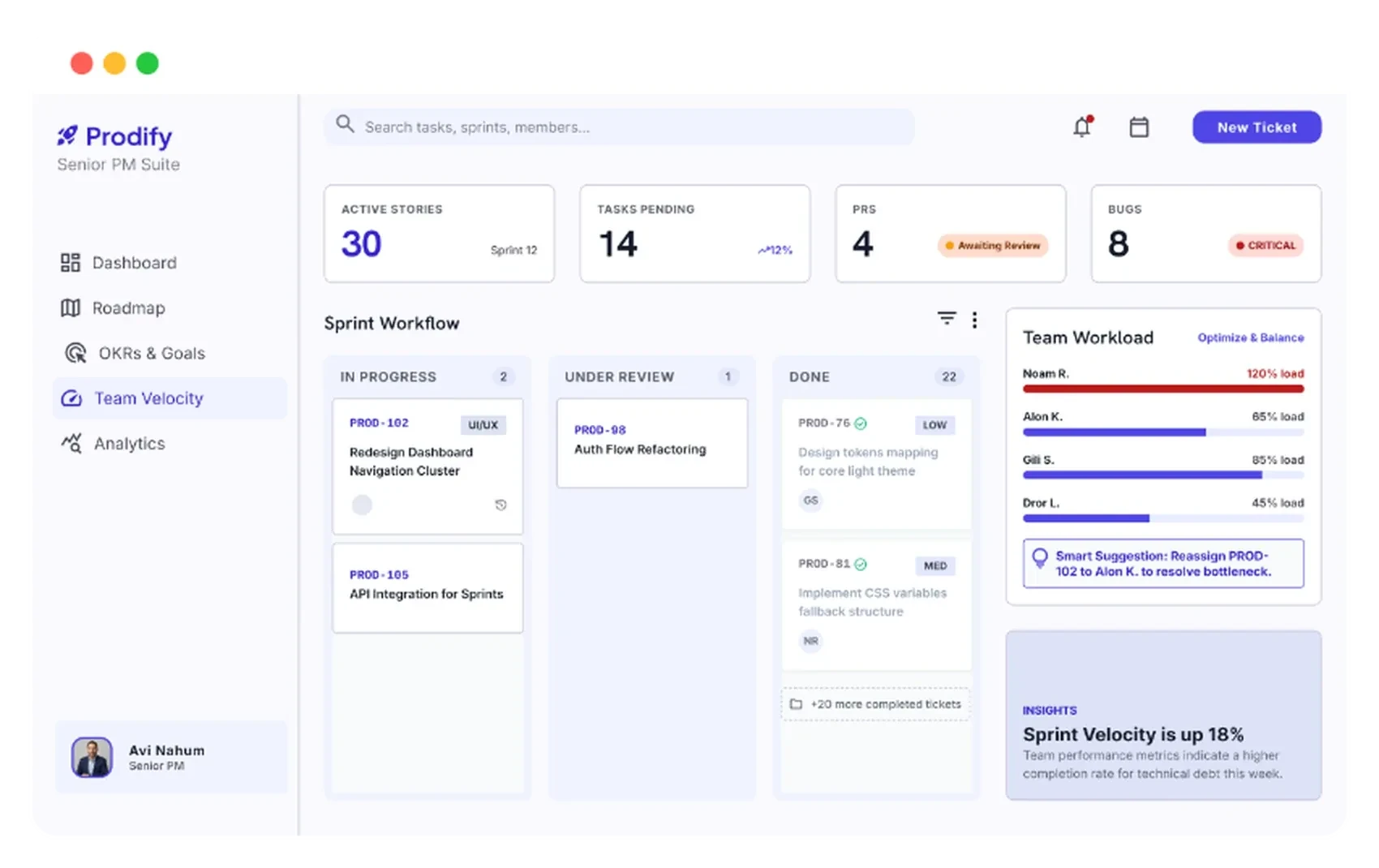
Developer Noam R. is currently at 120% capacity. This poses a risk to the Checkout Revamp delivery.
A single source of truth for product managers.
One dashboard that answers what's happening, what's broken, and what needs your attention in under 30 seconds.
LiveTry the product→ (opens in a new tab)The product, at a glance.
The same answers at the desk and on the go: the phone keeps the alert, the sprint health and the next step.


The real problem wasn't data. It was clarity.
Hours lost every day just piecing together status.

“My dashboard is six open tabs. I need a solution.”
Discovers blockers too late. Builds manual reports for 2–3 hours daily.
Prodify closes every open tab.
Interviews showed PMs didn't need more data — they needed it filtered by urgency.
Sprint goal health, velocity and capacity sit side by side, so the state of the sprint reads in one glance.

The critical alert opens the active blockers: each with its owner, how long it has been open, and a way to resolve it.

Smart Insights spots the risk, a developer at 120% capacity, and suggests the fix. One click reallocates the work and says what changed.

Three questions, answered instantly.
Three zones, ranked by urgency.
A hero card over equal cards: the most urgent answer first, no scanning.


Color tokens
A focused color system designed for clarity, productivity, and AI-powered project management.
Typography
Inter is used throughout Prodify for readability, hierarchy, and consistency across complex dashboard interfaces.
Who's overloaded, and what's stuck?
Sprint Execution.
The board, team workload and critical bugs sit on one screen, so a stuck ticket and the person behind it show up together.
- Critical bugs, up top
- Overload, beside the board
- Each warning comes with a fix
Is the sprint moving the goals?
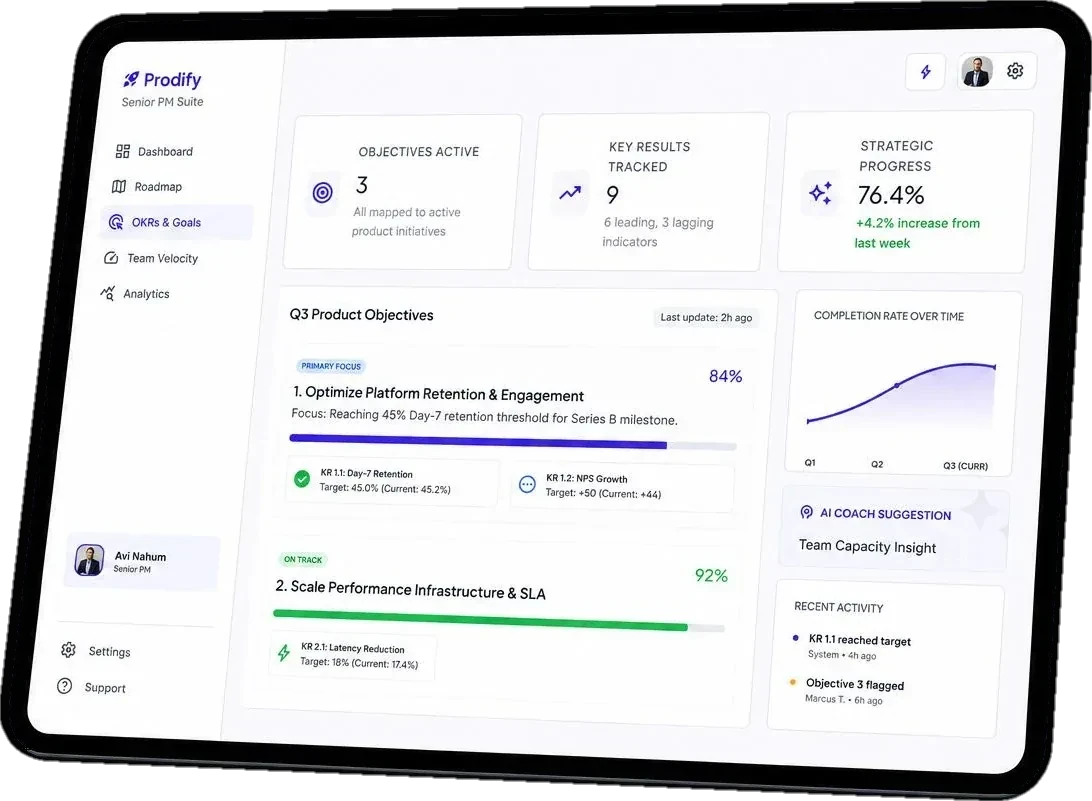
Strategy, not just status.
Every objective traced back to the sprint that moves it — so leadership sees progress, not noise.
- Progress, week over week
- Each goal with its key results
- What moved, and who flagged it
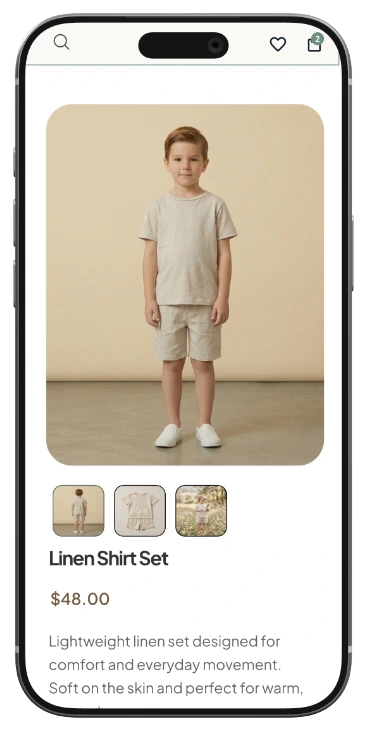
Fashion for little adventures, made simple.
Kids' clothing store designed around trust, ease, and confident buying.
UX/UI · E-commerce · Libi Kids · Shlomo Alfasi

Parents weren't afraid of the price. They were afraid of the mistake.
“I've returned so many things that didn't fit. Now I just don't order.”
1
Wrong size
No way to know if it fits until it arrives.
2
Late delivery
The birthday is Saturday. The package says maybe.
3
Unknown brand
Never heard of them. Is the quality real?

“I just want to buy the right thing without the guessing.”
Libi Kids answers before you buy.
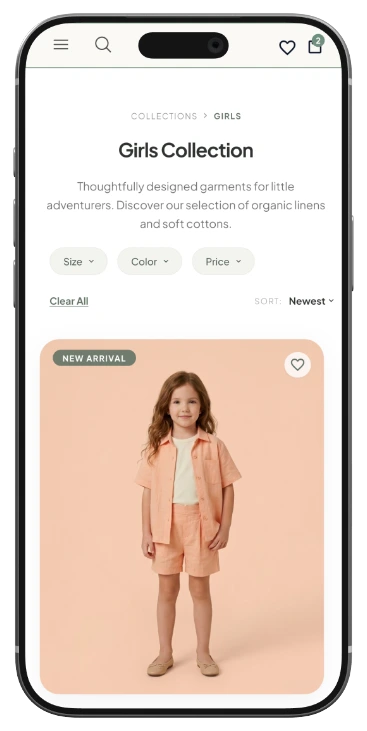
Smart filters by age and size, one-click checkout, and returns collected from your door — so the decision stops feeling like a risk.
01
Smart Filter
Age, size, and category in one tap.
02
One-Click Pay
Apple Pay and Google Pay, no typing.
03
Easy Returns
Picked up from your door, free.
A palette built to calm.
Plus Jakarta Sans
Smart filters by age and size, no typing
Aa Bb Cc Dd Ee Ff Gg Hh Ii Jj Kk
Home, on desktop.
Free shipping, easy returns and premium cotton are stated before the first scroll, right under the main button.

Filter first. Scroll less.
Narrow it down before the first scroll.
Everything they need to trust it.
Size guide, free shipping, and 30-day returns — all before “Add to Cart.”

Their size. Not a guess.
Age and height in, one size out. If it's still wrong, the exchange is free and picked up from the door.
- Age and height instead of a size chart: two things every parent knows by heart.
- The free exchange sits right under the button, at the moment of doubt.
Two taps. Done.
No forms, no typing, no second-guessing.

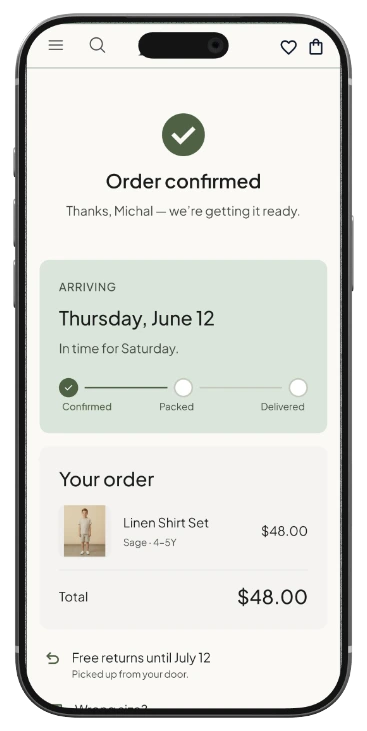
No maybe. Just a date.
The delivery date, the size, and the return window — confirmed before they close the tab.
- The date answers the real question: in time for Saturday.
- Free returns and the door pickup are on the same screen as the order.

Buy it once.
Get it right.
Thanks for watching.